How to Use TopSwing Tracer
Trace your golf shots like a pro in 6 easy steps. Free VIP trial available!
Video Tutorial
TopSwing Tracer Tutorial
1
Open the Shot Tracer
Go to topswing.golf and tap the "Shot Tracer" card. The app opens directly in your browser — no download required.
.png)
2
Sign In & Activate Free VIP
Tap Profile at the bottom, then "Sign In with Email". Create your free account. Then tap "Get 7 days of VIP access FREE" to unlock all tracer effects instantly.
No credit card required
.png)
3
Upload Your Shot Video
Tap Upload or Gallery to load your golf shot video. Or tap Record to capture a new one directly from your camera.
.png)
4
Mark Impact, Path & Landing
Tap Impact and tap where the club hits the ball.
Tap Path and mark where the ball reaches its peak height.
Tap Landing and mark where the ball lands.
Tap Path and mark where the ball reaches its peak height.
Tap Landing and mark where the ball lands.
.png)
5
Trim & Add Effects
Tap Trim and drag the handles to select the perfect clip range.
Tap Effects to choose your tracer style: Neon Glow, Laser Beam, Rainbow Arc, Fire Trail, and more. Pick your color and thickness.
Tap Effects to choose your tracer style: Neon Glow, Laser Beam, Rainbow Arc, Fire Trail, and more. Pick your color and thickness.
.png)
6
Export & Share
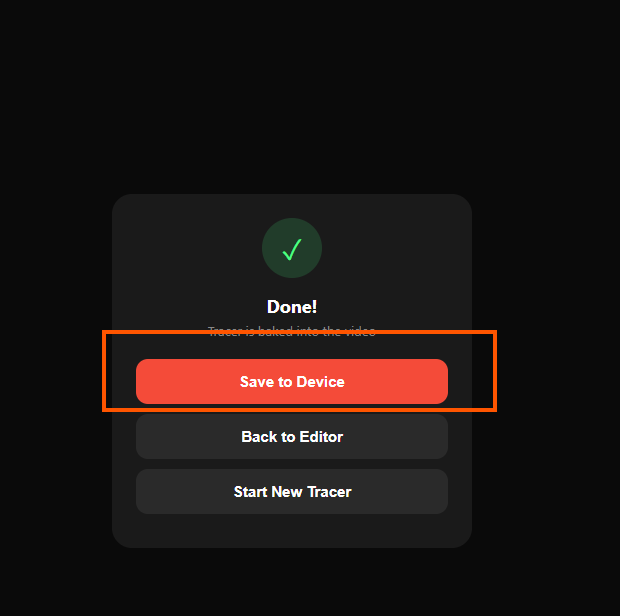
Tap the red Export button in the top right. Wait for the tracer to bake into your video (progress bar shows status). Then tap "Save to Device" to download. Share to social media!